
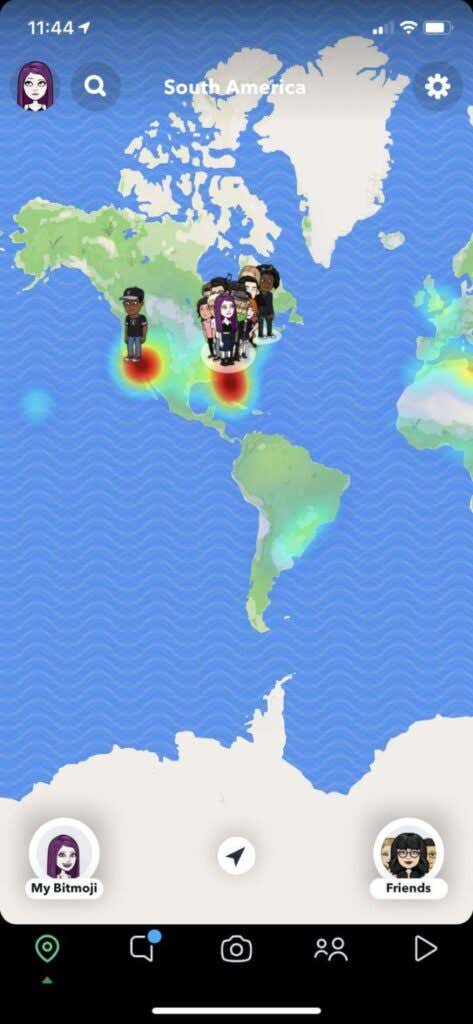
Location-tracking seems to take place in almost every app you use. Location services on Snapchat in particular are used to show your Snapchat friends approximately where you are. This is so you can see who is around you, what your friends are doing, and look at how many friends you have.
This can be particularly threatening for a child who has made some Snapchat friends that may be questionable.
However, there is a feature on Snapchat known as “Ghost Mode” which will allow you to remove yourself from this map.
When you put your account into Ghost Mode, Snapchat will no longer share your location with your friends, only yourself. To understand this, though, here’s more on how Snapchat location sharing works.
When you have the Snapchat app open and you have location sharing on for your friends, it will update and place your Bitmoji on the Snap Map to show where you are. It won’t update your location unless you open Snapchat.
You can change who sees your shared location, and this is where Ghost Mode on Snapchat comes in. You can choose to share your location either with all your friends (only after you have added them back, and vice versa), specific friends that you choose to share your location with, or just you, which is Ghost Mode.
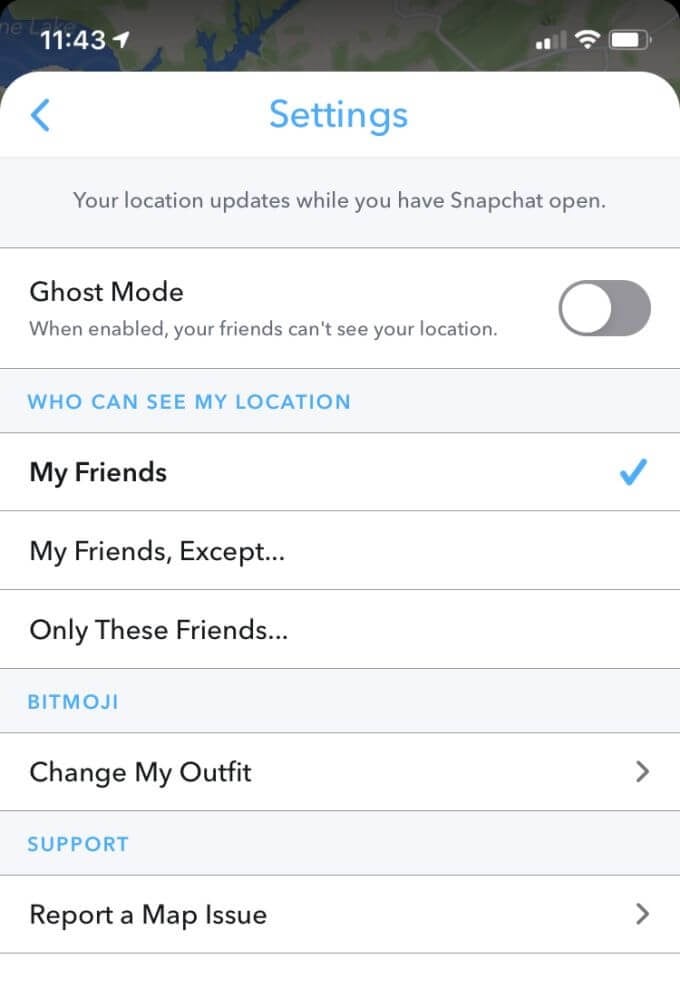
In Ghost Mode, people won’t be able to see you on Snap Maps, which is the world-wide map within the Snapchat app. Your location will also no longer be updated. However, people can still request to see your location, but you’ll have to accept this request first for your location to be sent.
See here for more information and how to turn on Ghost Mode